These are your Beloved Ones.
One clock for the whole family. Everyone in their place.
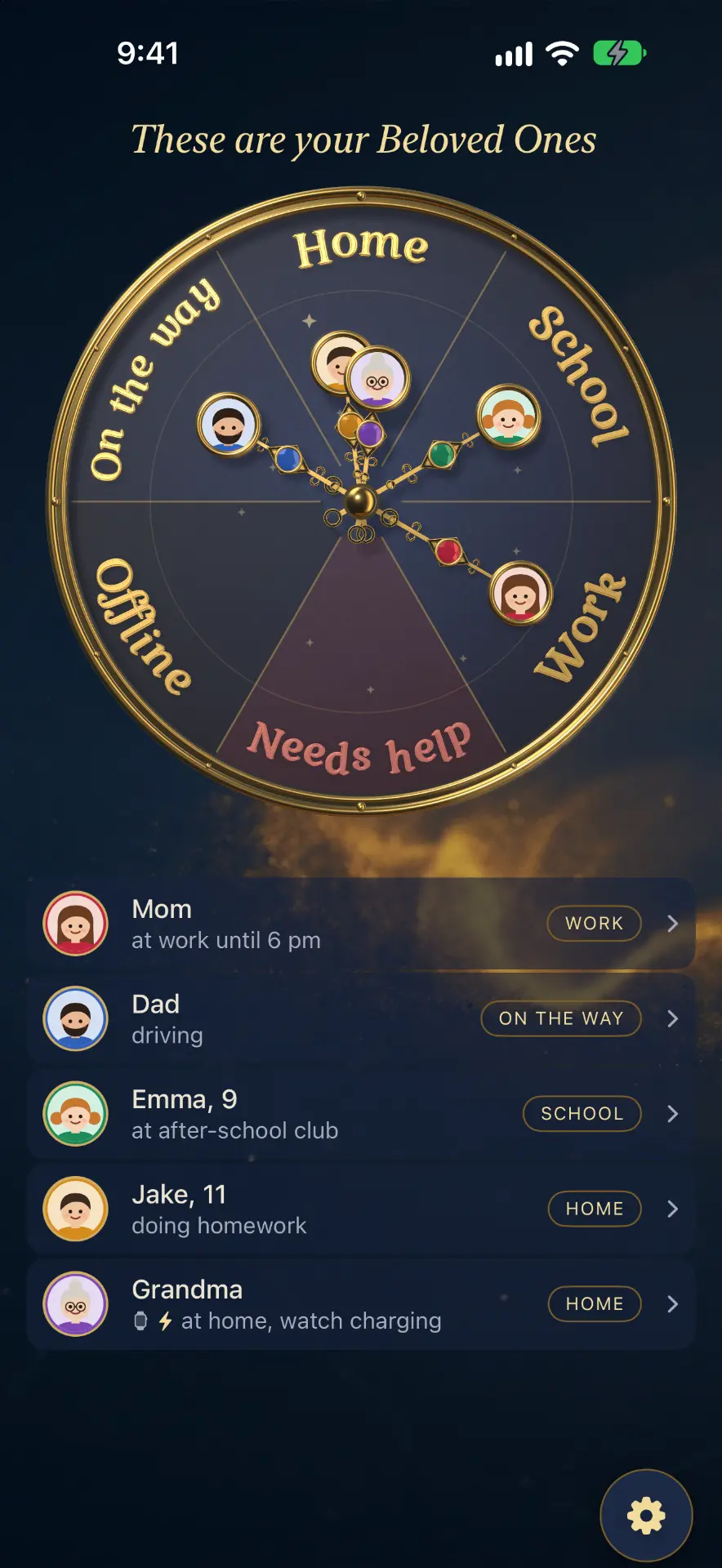
Every family member is a hand with their own gemstone on a golden clock. The hand moves by itself to Home, School, Work, On the way or Needs help, so you know your loved ones are all right without calling or watching a map.
Free: the clock and SOS for the whole family.
How it works
Five minutes to set up. Then the clock runs itself.
- 1
Create your family
Sign in with Apple: no passwords. A short intro asks how many of you there are (up to 10: adults, children, grandparents) and the addresses that matter: home, work, school.
- 2
Invite your beloved ones
Send a link or your family code. Each person installs Beloved Ones, opens the link and taps “That’s me”. Their hand appears on the clock, with their own gemstone.
- 3
The clock comes alive
When someone arrives home, at school or at work, their hand moves there by itself. Between places it shows “On the way”. No calls, no “where are you?” texts.
- 4
Put it on your Home Screen
Add the family clock and chat widgets to your iPhone, an SOS widget to your child’s phone, and see everyone on Apple Watch and your Mac.
- 5
Stay close every day
Quick messages in the family chat, tasks and rewards for the kids, the 24-hour path, and parental controls with the Family plan. The clock and SOS are always free.
Everything a family needs, nothing it doesn't
The golden family clock
Every person has a hand with their own gem. Zones are named the way your family lives.
Home Screen widgets
The family clock, chat, an SOS button and Tasks, right on your iPhone Home Screen and Mac desktop.
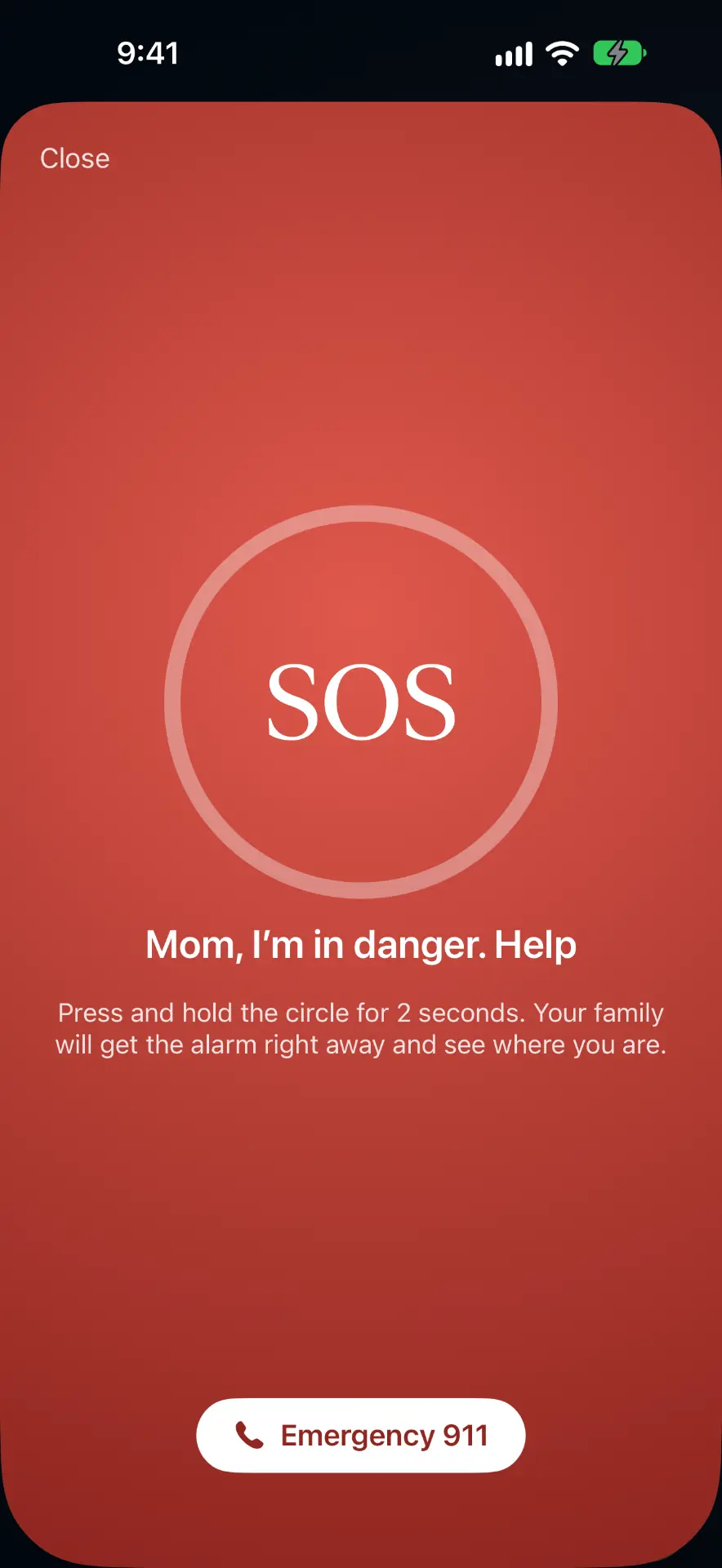
SOS
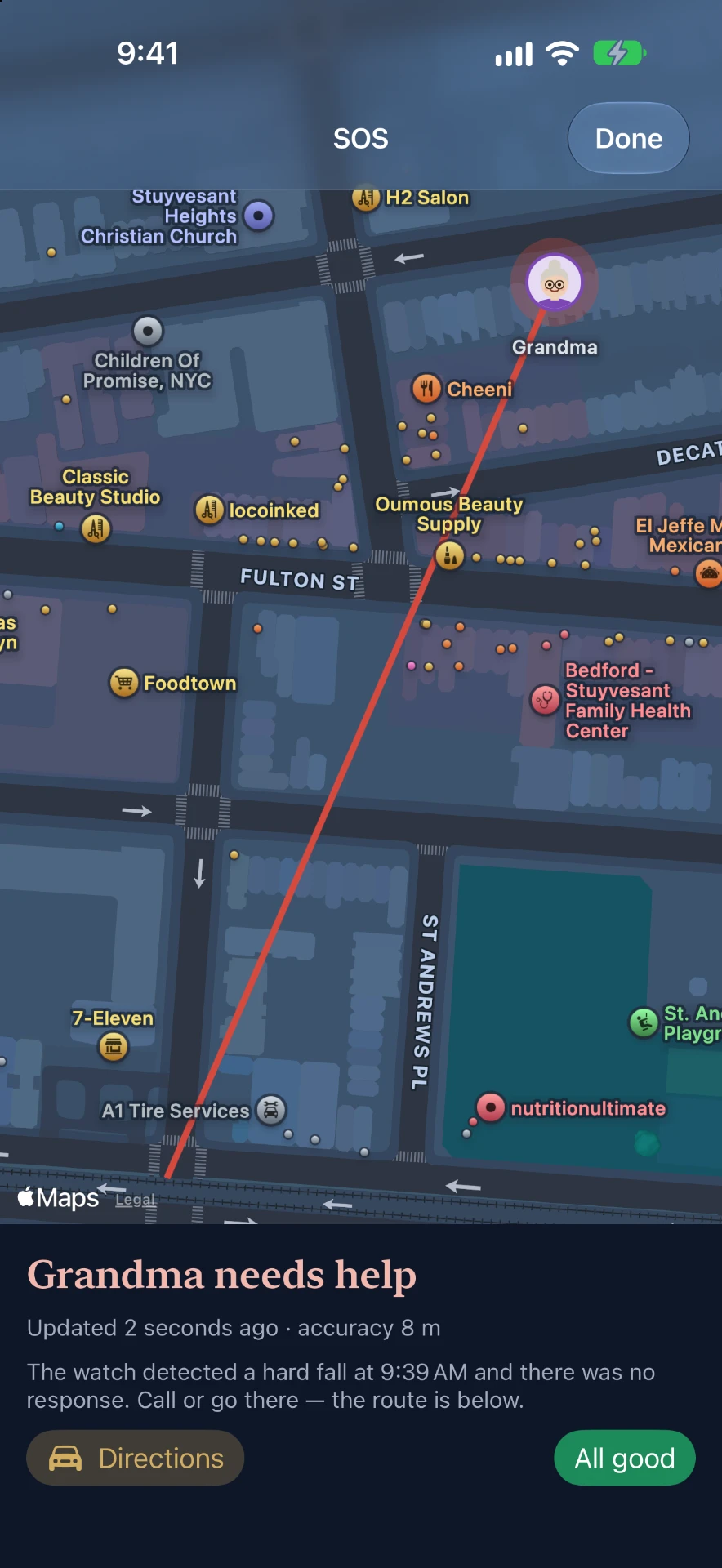
One press and the whole family gets an urgent alert with live location until it's resolved. For children and adults.
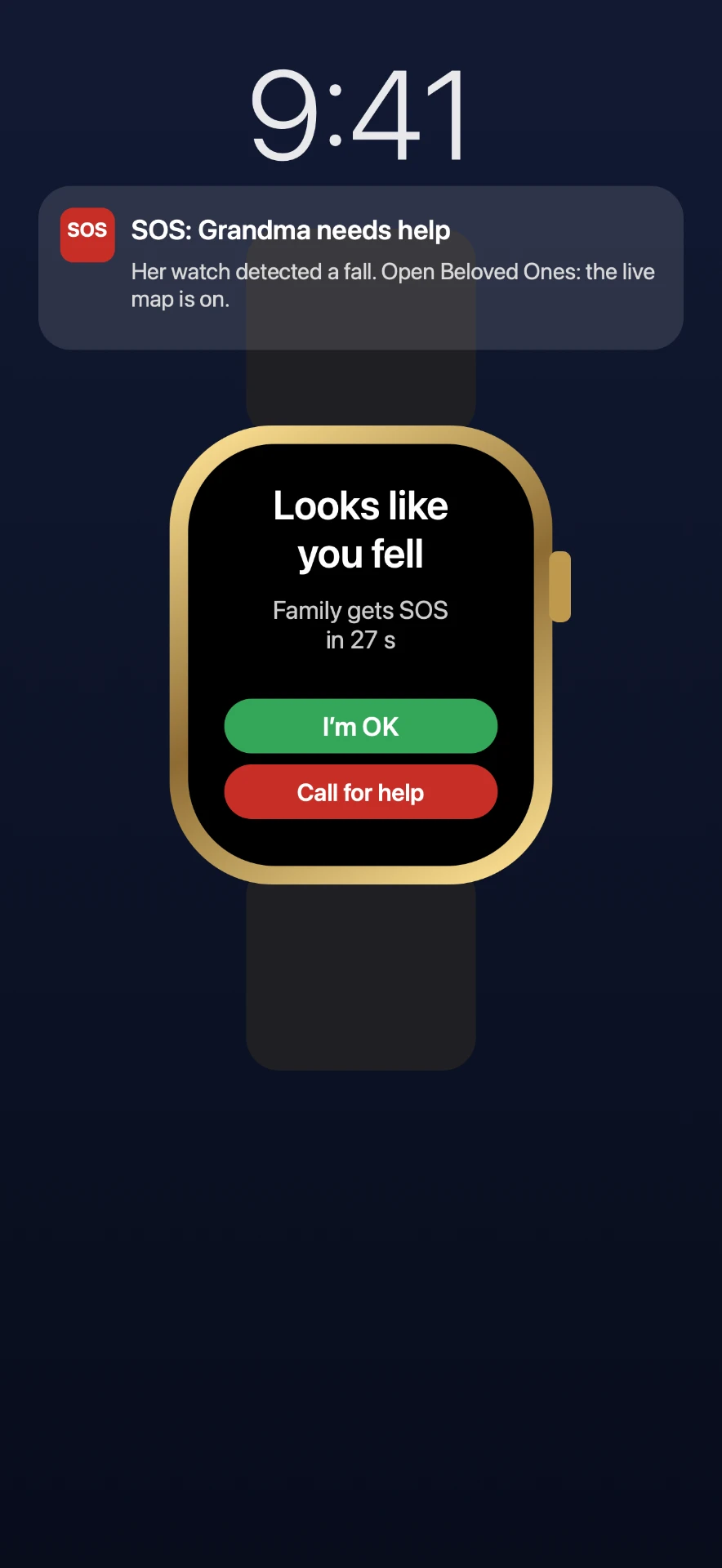
Fall detection on Apple Watch
If the watch notices a hard fall and there's no response, the family gets an SOS. Made for grandparents.
Family chat
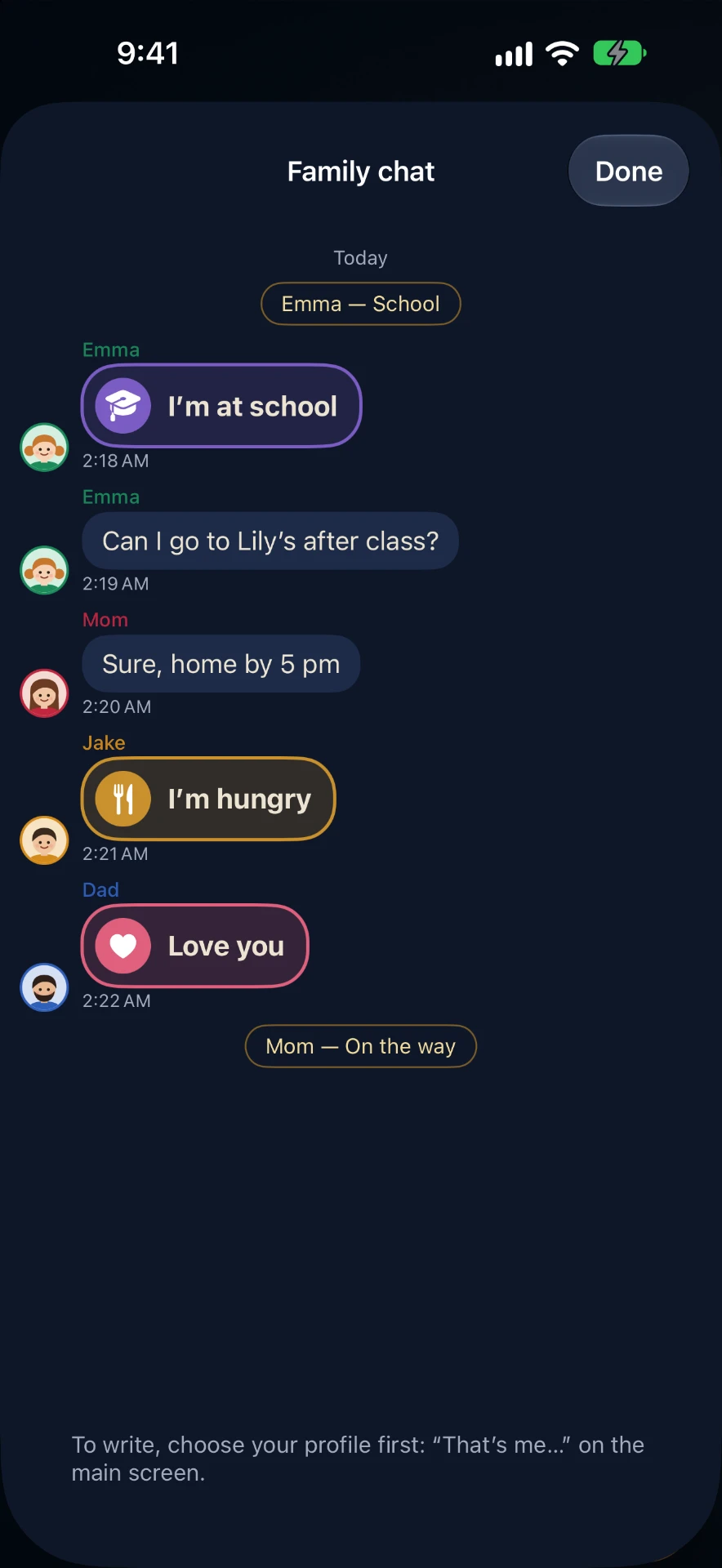
Quick ready-made messages like “I'm home” or “Love you”. Reply from the Home Screen. Messages are encrypted.
Tasks and rewards
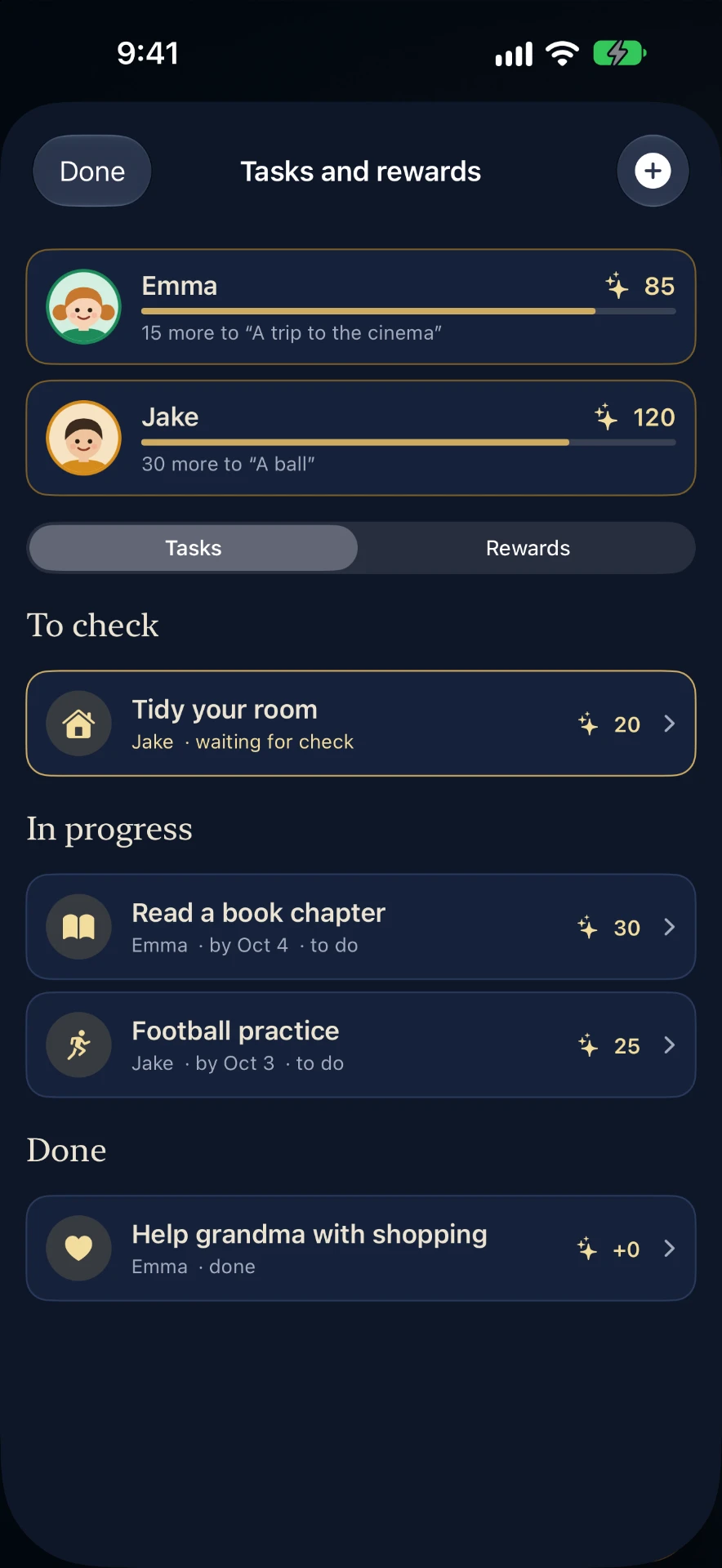
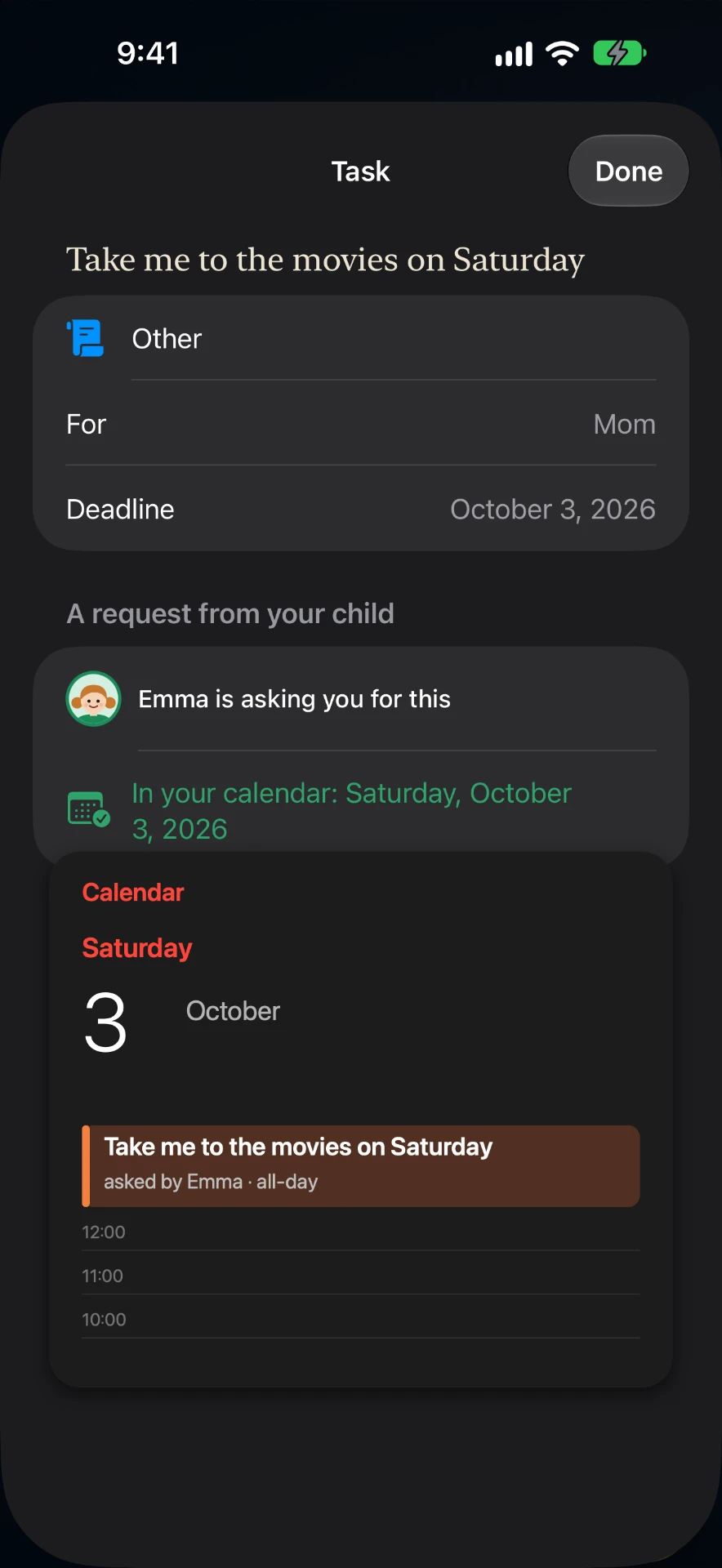
Children earn experience and unlock rewards. Kids can ask too, and accepted requests go straight into the calendar.
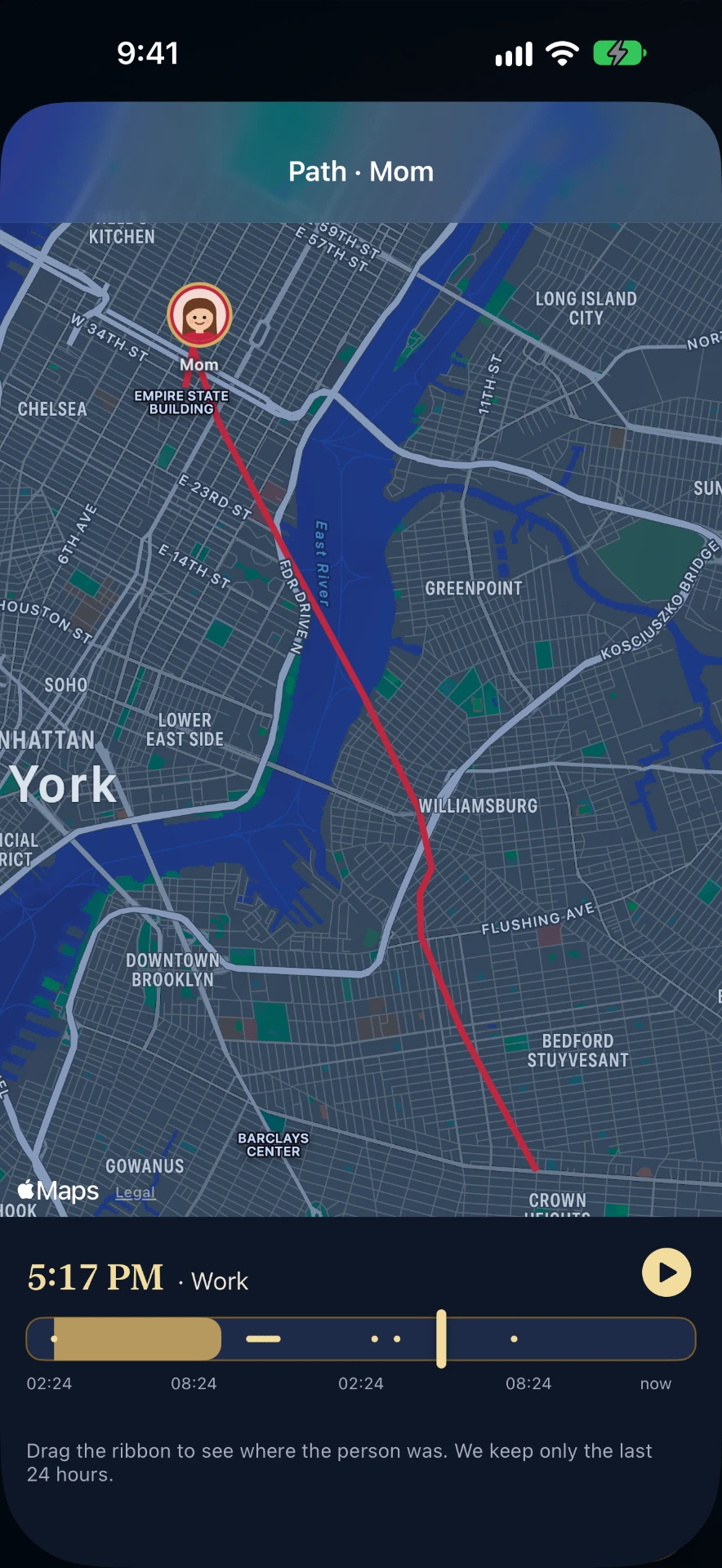
24-hour path
Replay where a child has been today as a short timelapse. Anything older than 24 hours is deleted.
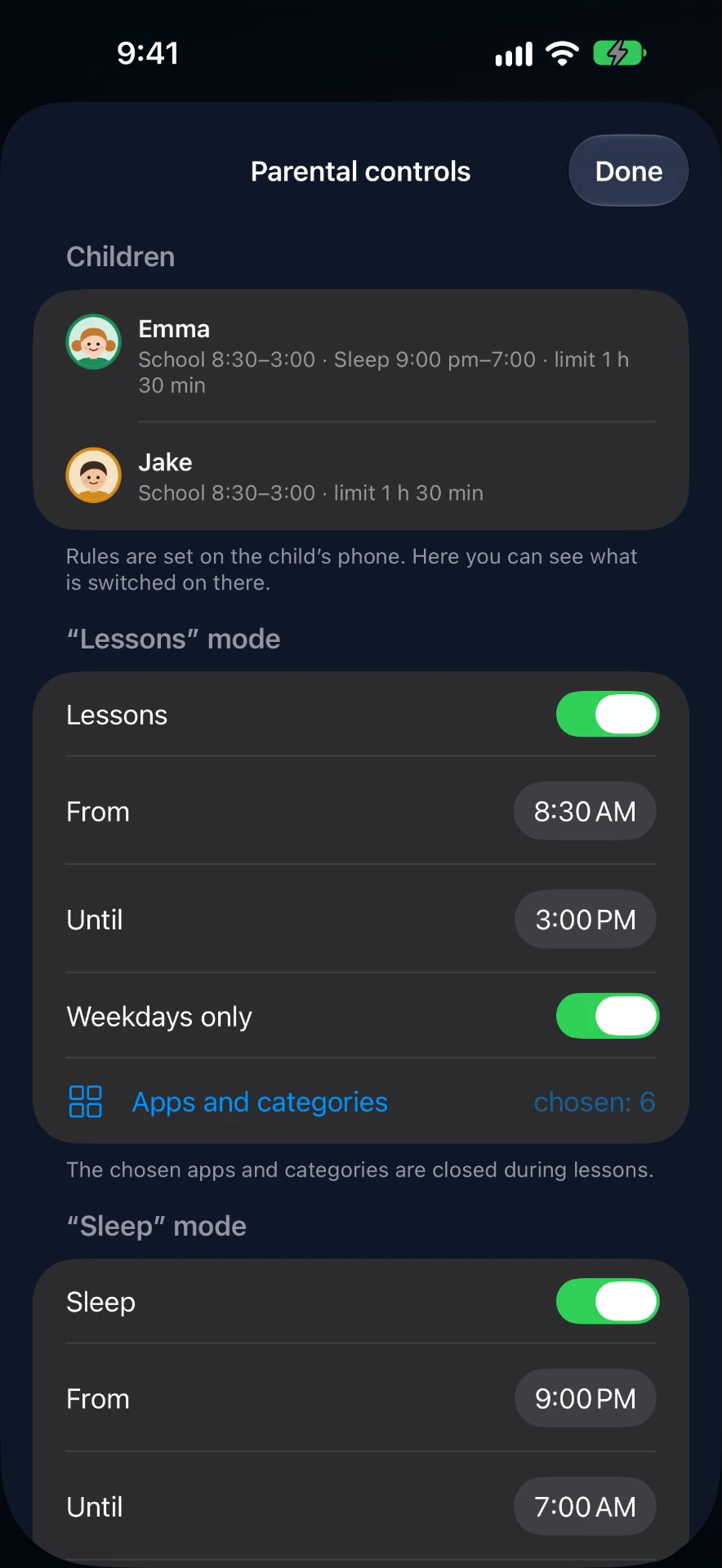
Parental controls
“Lessons”, “Sleep” and daily limits close chosen apps on your child's iPhone (Apple Screen Time).
Apple Watch and Mac
Your family on your wrist and on your desktop.
28 languages
From English and Russian to Japanese, Korean, Ukrainian and most European languages.
- Coming soon
Sleep
How well the children and elderly parents slept (Apple Health, only with their consent).
A closer look
Only your family sees where you are.
Beloved Ones is about peace of mind, not surveillance. We built it the way we'd want it for our own parents and children.
- Location is shared only inside your family
- Movement history is kept for 24 hours only
- Chat messages are encrypted
- No ads, no selling data
- Sign in with Apple, no passwords
Simple pricing
Free
$0
- The family clock
- Zones
- Clock widgets
- SOS for everyone
Beloved Ones Family
$X.XX / month
One subscription for the whole family. First week free.
- Family chat
- Tasks and rewards
- 24-hour path
- Parental controls
- Chat and Tasks widgets
Invite another family: both get a week free.
Help